Showing posts with label photoshop. Show all posts

Thursday, September 23, 2010

30+ smashing tutorials for creating Texture and Background Effects in Photoshop

We all know that attractive backgrounds are very much needed for any graphics, banners or ads these days. An interesting artwork can make the abstract art , vector or texture pattern more appealing . Getting the correct theme, whether it’s an abstract art, vector, or texture pattern, somehow makes the entire artwork looks more interesting.


Hope most of you know the importance of a good background image . For Instance , some product graphics advertisements uses subtle background or texture to help create focus point. Even your Desktop also needs a good attractive background as well. And also for most of the web designers creating backgrounds is a tedious job , since for that you need to know photoshop or Adobe illustrator and other image editing software. Even though if you are good at CSS programming skills without a background image you can’t create a much appealing site.


So here I present some of the most famous and interesting abstracts and background tutorials for Adobe Photoshop users.It’s probably not about getting the exact effect they’ve got, but to pickup the technique and see how you can advance from there.


Calculations And Colorization :

Learn how to create an Alpha Channel using the Calculations dialog and we’ll use it to get a really great abstract photo effect.
Calculations And Colorization 30+ 
smashing tutorials for creating Texture and Background Effects in 
Photoshop

Create a magical rainbow color flame in Photoshop

Create+a+magical+rainbow+color+flame+in+Photoshop 30+ smashing 
tutorials for creating Texture and Background Effects in Photoshop

Repeating Seamless Background

A trick often employed on webpages is to use a seamless background that can tile both vertically and horizontally. If your website gets alot of traffic and you don’t like paying for extra bandwidth costs you need to optimize your site for every single kilobyte. This generally translates to NOT using a giant JPG as a background.
tile2 4 300x300 30+ smashing tutorials for 
creating Texture and Background Effects in Photoshop

Abstract Summer Illustration :

Learn to create an illustration picturing the summer.
Abstract Summer Illustration 30+ 
smashing tutorials for creating Texture and Background Effects in 
Photoshop

Texture of black bubbles effects :

Create cool texture of Black Bubbles in photoshop
13 30+ smashing tutorials for creating Texture and 
Background Effects in Photoshop

Digital Star Effect

An easy tutorial to generate Digital Star Effect in Photoshop .
Digital Star Effect 30+ smashing 
tutorials for creating Texture and Background Effects in Photoshop

Mac-type background

This tutorial is about making a “mac” style background. You can use these in all sorts of situations, including the obvious –your desktop– as well as part of your designs or for corporate work
mac type background 30+ smashing 
tutorials for creating Texture and Background Effects in Photoshop

Cool abstract background

Being able to create effects from elsewhere is a great way to learn Adobe Photoshop. Here I will take you through the steps used to create abstract background from bubbles and waves.
36 30+ smashing tutorials for creating Texture and 
Background Effects in Photoshop

Chroma Wallpapers

This tutorial explains how to create a energetic, vibrant, colorful wallpaper , like the ones available at Color Charge.
chroma wallpapers 30+ smashing tutorials for 
creating Texture and Background Effects in Photoshop

photoshop tutorial abstract light rays

An easy tutorial to create abstract light rays in photoshop.
Abstract Light Rays 30+ smashing tutorials 
for creating Texture and Background Effects in Photoshop

Photoshop Retro Grid Background

Create Retro Grid Background easily in photoshop with this tutorial
retro grid22 30+ smashing tutorials for 
creating Texture and Background Effects in Photoshop


vintage grunge textures

textures 2008 1 30+ smashing tutorials for 
creating Texture and Background Effects in Photoshop

Brown Paper Textures

5 Fantastically Free High Res Brown Paper Textures created by Blog Spoon Graphics
r” style=”clear: both; text-align: center;”>textures 2008 24 30+ smashing tutorials for 
creating Texture and Background Effects in Photoshop

Christy Sobolewski Textures

textures 2008 9 30+ smashing tutorials for creating 
Texture and Background Effects in Photoshop

color grunge textures

textures 2008 2 30+ smashing tutorials for creating 
Texture and Background Effects in Photoshop

hardcore vintage grunge

textures 2008 3 30+ smashing tutorials for creating 
Texture and Background Effects in Photoshop

Old Grunge Photo Texture Pack

textures 2008 6 30+ smashing tutorials for creating 
Texture and Background Effects in Photoshop

17 More Old Book Cover Textures

textures 2008 25 30+ smashing tutorials for creating 
Texture and Background Effects in Photoshop

Vintage Texture Pack

textures 2008 12 30+ smashing tutorials for creating 
Texture and Background Effects in Photoshop

Wood textures : Textures – Wood

textures 2008 27 30+ smashing tutorials for creating 
Texture and Background Effects in Photoshop

Local Texture: Three by One

Feel free to use this for anything you want. It took five seconds to take the photo, but I’d still like to see the finished product of anything this is used in.

textures 2008 14 30+ smashing tutorials for
 creating Texture and Background Effects in Photoshop

Cardboard Textures and Objects

Cardboard+Textures+and+Objects 30+ smashing tutorials for 
creating Texture and Background Effects in Photoshop

Add Visual Texture in 3 Easy Steps

Add+Visual+Texture+in+3+Easy+Steps 30+ 
smashing tutorials for creating Texture and Background Effects in 
Photoshop

Create an Awesome Background Using Patterns

Create+an+Awesome+Background+Using+Patterns 
30+ smashing tutorials for creating Texture and Background Effects in 
Photoshop

Create a Realistic Torn Paper Effect in Photoshop

Create+a+Realistic+Torn+Paper+Effect+in+Photoshop 30+ smashing 
tutorials for creating Texture and Background Effects in Photoshop

How To Make An Awesome Grungy Paper Texture From Scratch

impressive header tut7 30+ smashing tutorials
 for creating Texture and Background Effects in Photoshop

53 Impressive Polka Dot Pattern Swatches

53+Impressive+Polka+Dot+Pattern+Swatches 30+ 
smashing tutorials for creating Texture and Background Effects in 
Photoshop

GrungeTextures

beautiful background 32 30+ smashing 
tutorials for creating Texture and Background Effects in Photoshop

Brusheezy Patterns

beautiful background 39 30+ smashing 
tutorials for creating Texture and Background Effects in Photoshop

Milleseicentopercento

Abstract Lines Background

Abstract+Lines+Background 30+ smashing 
tutorials for creating Texture and Background Effects in Photoshop
hope you guys will like this one. If you have came across any other tutorial to create texture or background effect then please let me know. I will add them to this list as well.

Top 10 Free IMAGE HOSTING SITES

Image Hosting is always been a problem for bloggers who don’t have a web hosting account. Even if you have private web hosting , uploading all images to your server will consume lots of system resources and will make your website to load slowly. And bloggers who have a limited bandwidth in their server can’t take risk of uploading images to their hosting , because it will consume most of the bandwidth and will make your site to give “Internal Server Error” i.e it will cause server downtime.

While there are so many free image hosting
sites are available , why should we upload our images to our servers and reduce its performance. So in this post , i will share all the free image hosting sites I have came across so far.

Top 10 Free IMAGE HOSTING SITES

First of all let me tell the top 10 free Image hosting sites which are helping blogger, web designers and ordinary users to upload their images.

Picasa Web or Blogger

Picasa free Image Hosting and Photo sharing site
According to me, Picasa is the best image hosting site ever. It provides you unlimited bandwidth which none of the other image hosting sites would provide. You can upload image to picasa either via your Blogger blogs or using Google account. Picasa also provides you 1Gb of free storage space and Unlimited bandwidth. Images uploaded to Picasa Web Albums can be no larger than 20MB and are restricted to 50 megapixels or less. You can also edit your photos online and share with your friends. You can also store videos as well.

FLICKR

Flickr free Image Hosting and Photo sharing site
Flickr is a free image hosting and photo sharing site but with limited storage capacity and bandwidth. But still most of the designers prefer flickr to upload images. The maximum storage space for free accounts is 100 MB and you can upload only two videos per month. Videos are limited to 90 seconds in length, and 150MB in filesize. But pro accounts have more features. You can use your yahoo account to upload images in Flickr.

PHOTOBUCKET

Photobucket free Image Hosting and Photo sharing site
With 25 Million unique site visitors/month in the US, and over 46 Million unique site visitors/month worldwide Photobucket stands at third place. Photobucket is the premier site on the Internet for uploading, sharing, linking and finding photos, videos and graphics. Your free Photobucket account can store thousands of photos and hours of video.

IMAGESHACK

Imageshack free Image Hosting and Photo sharing site
ImageShack is an intuitive and easy-to-use free media hosting service. It can be used to upload images, flash files, and movies, and share them with friends using any imaginable means.You can upload as many files as you want and direct linking is also allowed. Each image you upload must be less than 1.5 megabytes in size. If it is greater than that amount, your image will be optimized for internet use. Flash files will be rejected if they are over 1.5 mb. Video files must be less than 50MB and they will be automatically optimized by the ImageShack toolbar before uploading. Edit option is not yet available in Imageshack but they promise to add it soon.

TinyPic

TinyPic free Image Hosting and Photo sharing site
TinyPic is a photo and video sharing service that lets you easily upload, link, and share your images and videos on MySpace, eBay, Orkut Scrapbooks, blogs, and message boards. TinyPic allows upload and hosting of JPEG (jpg), png, gif and tiff files. Images that are larger than 1600 pixels (either width or height) are automatically resized to the largest acceptable size while maintaining their original aspect ratio.
Tinypic does not accept standard-definition video files of sizes larger than 500 Megabytes or longer than 15 minutes. Videos longer than 15 minutes are truncated to 15 minutes.

Wordpress

Wordpress free Image Hosting and Photo sharing site
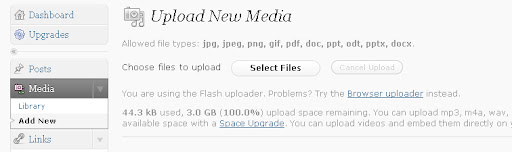
Never wonder why I included wordpress in this list. You can even use your free account in wordpress.com to host your images for free. They provide 3Gb of hosting space and unlimited bandwidth. You can upload mp3, m4a, wav, ogg audio files and increase your available space with a Space Upgrade. You can upload videos and embed them directly on your blog with a Video Upgrade. I will explain how to do it after the list.

PicTiger

pictiger free Image Hosting and Photo sharing site
PicTiger is a FREE image hosting service where everyone is able to upload their own image, create a thumbnail from it, resize the image or the thumbnail, create their own albums, post their images to their sites, forums, blogs or anywhere they want. Unbelievably ! You can host as much images as you want!

Pict.com

pict free Image Hosting and Photo sharing site
Share photos and pictures for free at Pict – easy-to-use image hosting service. Photo hosting and sharing has never been faster and easier.
Upload images up to 12Mb in size, resize images (JPG/PNG/GIF formats supported), send photos to your friends, create a photo albums with one click at number one picture hosting! Sign up at Pict and get unlimited picture uploads, fast servers, easy interface, useful uploading software for FireFox and Windows (with screenshots capture feature) and much more!

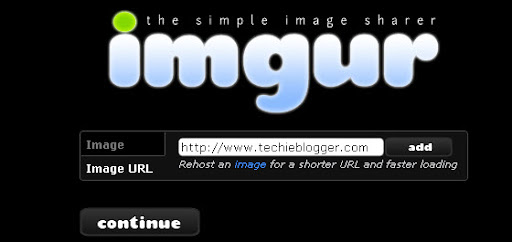
IMGUR

imgur free Image Hosting and Photo sharing site
Imgur makes sharing images with the Internet easy. It can be used to share pictures with friends, as well as post images on message boards and blogs. You can manipulate the image a number of ways and automatically submit it to poI like acquiring new information, solving puzzles, being creative and so on; anything that keeps my mind busy.pular sites such as reddit or digg. You can also view popular user-submitted images in the gallery. Best of all, Imgur is completely free.

iimmgg

iimmgg free Image Hosting and Photo sharing site
Immgg is a free image hosting site which provides unlimted bandwidth and storage space. You can organize all your uploads and share with your family and friends. You can also post images on blogs, forums, message boards etc.

How to add Images to Wordpress.com

Let me explain how to make use of free wordpress account to host your images for free with unlimited bandwidth feature.
First create a free account in wordpress.com. After creating the account , create a new blog. Then go to dashboard of that blog.
Wordpress unlimted Image Hosting trick
There in the left sidebar you can see ” Media ” tab. Click the ” Add new ” option which is available below it.
Now you can see a uploader opening. Just browse the images from your pc and click upload.
Hope this list will be helpful for all bloggers and web designers who want to host their images for free. One can also do photo sharing as well. If you have came across any good image hosting service then let me know. I will include them to this list.

20+ Cool Text and Source Code editors for web Designers and programmers

A text editor is software used for editing plain text files. While Programmers use text editors to create the program codes and the web designers and blogger use them to create HTML rich content without knowing any programming language. However Text editors are also used for managing to-do lists and writing code to jotting ideas and keeping a grocery list. Though a default text editor is provided in all operating system called ‘ Notepad ‘ , it don’t have many features which can make the work easier. So in this post , I have collected about 20 best text editors which will be very useful for web designers and programmers. Each of these text editors have their own unique feature which make even tedious work easy.

Rich Text Editors for Web Designers and Bloggers

Rich Text editors are basically visual editors which are available in Wordpress and Blogger. They help webmasters to create HTML rich articles offline and will help those newbie blogger who don’t have knowledge on HTML and CSS. You can preview the content output and even you can copy the HTML code of the content you have produced.

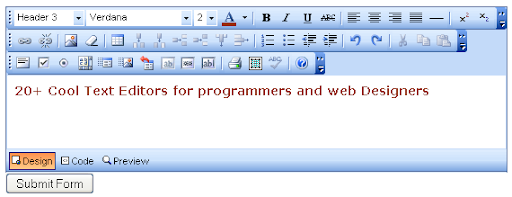
Free Rich Text Editor

Free Rich Text Editor is an extremely easy to use FREE javascript based HTML WYSIWYG editor for your website, it can easily be implemented into any existing content management system or other web application with no knowledge required in programming or javascript. Only 3 lines of code required to set up the editor. It also now outputs as XHTML compliant code. You can preview the functionality in the online demo page as well.

Free Rich Text Editor

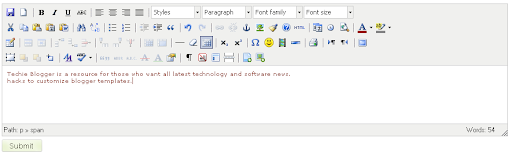
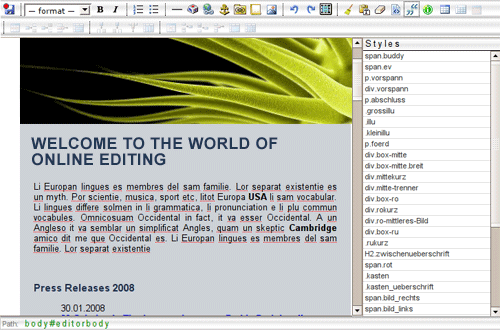
TinyMCE – Javascript WYSIWYG Editor

TinyMCE is a platform independent web based Javascript HTML WYSIWYG editor control released as Open Source under LGPL by Moxiecode Systems AB. It has the ability to convert HTML TEXTAREA fields or other HTML elements to editor instances. TinyMCE is very easy to integrate into other Content Management Systems.

TinyMCE - Javascript WYSIWYG Editor

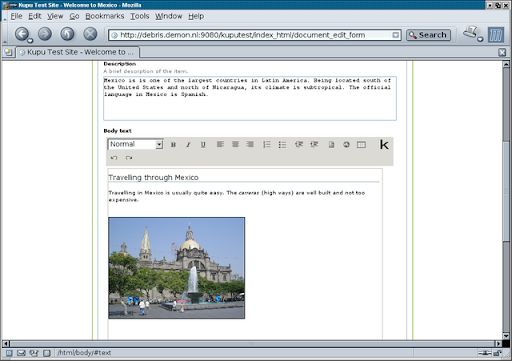
Kupu Open Source Content editor

Kupu is a ‘document-centric’ open source client-side editor for Mozilla, Netscape and Internet Explorer. Kupu uses CSS in favor of HTML for layout and presentation. It supports asynchronous saving to the server. It sets event handlers from code instead of from the HTML (excepting the toolbar), which makes the code a lot cleaner. It uses DOM functionality to build up HTML. On those and other fronts it tries to use the most modern standardized techniques available on all supported browsers to ensure a good user-experience and clean code.

Kupu Open Source Content editor

Yahoo! UI Library: Rich Text Editor

The Rich Text Editor is a UI control that replaces a standard HTML textarea. It allows for the rich formatting of text content, including common structural treatments like lists, formatting treatments like bold and italic text, and drag-and-drop inclusion and sizing of images. The Rich Text Editor’s Toolbar is extensible via a plugin architecture so that advanced implementations can achieve a high degree of customization.

Yahoo! UI Library: Rich Text Editor

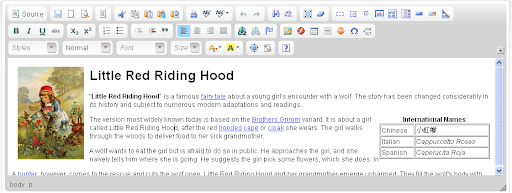
CKeditor

CKEditor is a text editor to be used inside web pages. It’s a WYSIWYG editor, which means that the text being edited on it looks as similar as possible to the results users have when publishing it. It brings to the web common editing features found on desktop editing applications like Microsoft Word and OpenOffice.

CKeditor Rich Text Editor

Xinha WYSIWYG HTML editor

Xinha is a powerful WYSIWYG HTML editor component that works in all current browsers. Its configurabilty and extensibility make it easy to build just the right editor for multiple purposes, from a restricted mini-editor for one database field to a full-fledged website editor.

Xinha WYSIWYG HTML editor

Web Wiz Rich Text Editor

Web Wiz Rich Text Editor (RTE) is a free WYSIWYG HTML RTE that replaces standard text areas with an advanced Word-style HTML area.
Using this tool you can change any text area on your site into an HTML area with real-time WYSIWYG formatting. Useful for many purposes from basic submission forms to advanced CMS (Customer Management Systems).

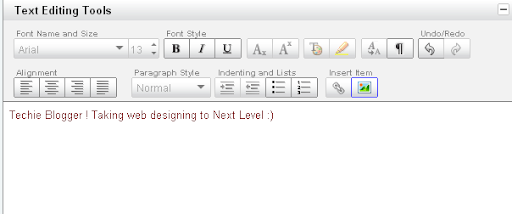
NicEdit WYSIWYG Content Editor

NicEdit is a WYSIWYG editor for websites. Its goal is to be as simple and fast as possible for users of your application. NicEdit is extremely lightweight and can be easily integrated in any site with minimal impact while providing visitors an effective means to express themselves in rich text.

Cross-Browser Rich Text Editor

If you are a .NET developer, such as myself, you’ll know all about the beauty of user controls. The aim of the codeplex editor is to encapsulate everything you need into a single control, drop a dll in the bin folder and away you go (more or less).

The XHTML WYSIWYG Editor For Desktop

The editor generates clean XHTML Strict or 1.1, and uses CSS for formatting, to ensure the clean separation of content from presentation. The editor is keyboard accessible, and markup generated by XStandard meets the most demanding accessibility requirements. The editor’s cool features include drag & drop file upload, spell checking and an image library that integrates tightly with your CMS. If you are working on government websites and accessibility and XHTML generation are needed, XStandard is the puppy for you.

Text Editors for Programmers and Web developers

The following text editors are mainly used for creating and editing source codes. Hope these will help the programmers and web developers to generate codes with easy. And they are free , so you can give these things a try.

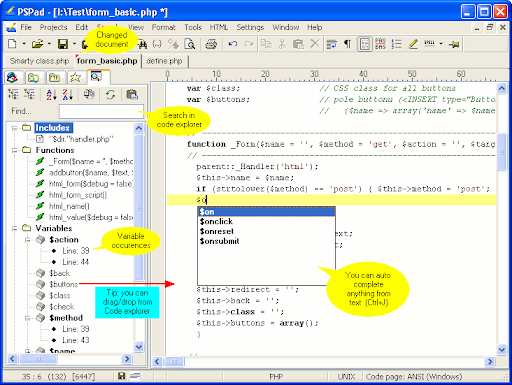
PSPad Source code editor

PSPad is a freeware programmer’s editor for Microsoft Windows operating systems, useful for people who:
  • work with various programming environments
  • like highlighted syntax in their source code
  • need a small tool with simple controls and the capabilities of a mighty code editor
  • are looking for a tool that handles plain text
  • want to save time – PSPad offers rich text formating functions
  • need tool what offer user extension capabilities
  • want to save money and still have the functionality of professional products because PSPad is free for commercial and government purposes too

PSPad  Source code editor

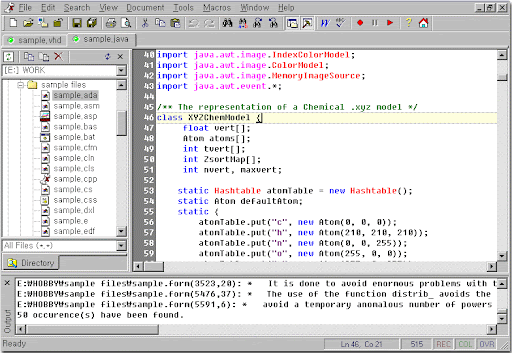
Crimson Source Code editor

Crimson Editor is a professional source code editor for Windows.This program is not only fast in loading time, but also small in size (so small that it can be copied in one floppy disk). While it can serve as a good replacement for Notepad, it also offers many powerful features for programming languages such as HTML, C/C++, Perl and Java.

Crimson Source Code editor

jEdit Programmers Text editor

jEdit is a mature programmer’s text editor with hundreds (counting the time developing plugins) of person-years of development behind it.While jEdit beats many expensive development tolls with full source code, provided under the terms of the GPL 2.0. for features and ease of use, it is released as free software

jEdit Programmers Text editor
Some of jEdit’s features include:
  • Written in Java, so it runs on Mac OS X, OS/2, Unix, VMS and Windows.
  • Built-in macro language; extensible plugin architecture. Dozens of macros
    and plugins available.
  • Plugins can be downloaded and installed from within jEdit using the “plugin manager” feature.
  • Auto indent, and syntax highlighting for more than 130 languages.
  • Supports a large number of character encodings including UTF8 and Unicode.
  • Folding for selectively hiding regions of text.
  • Word wrap.
  • Highly configurable and customizable.
  • Every other feature, both basic and advanced, you would expect to find in a text editor.

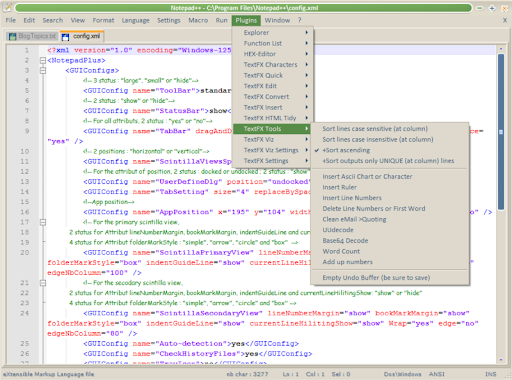
Notepad++ power text editor for windows

Notepad++ is a free (as in “free speech” and also as in “free beer”) source code editor and Notepad replacement that supports several languages. Running in the MS Windows environment, its use is governed by GPL License. Based on a powerful editing component Scintilla, Notepad++ is written in C++ and uses pure Win32 API and STL which ensures a higher execution speed and smaller program size. By optimizing as many routines as possible without losing user friendliness, Notepad++ is trying to reduce the world carbon dioxide emissions. When using less CPU power, the PC can throttle down and reduce power consumption, resulting in a greener environment.

Notepad++ power text editor for windows

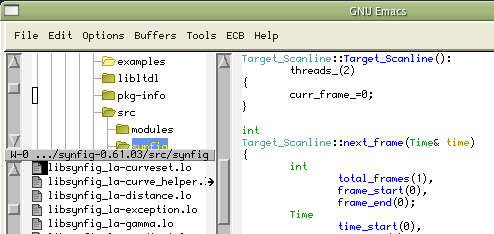
Emacs source code editor

Primarily a text editor for serious programmers, Emacs (Editor MACroS) is popular for its built-in macros and powerful keyboard commands that make editing text documents—particularly code—a pleasure. The catch: You’re not likely to fully appreciate Emacs until you spend some time getting to know it. The program has been ported to virtually every platform and has multiple incarnations, the most popular of which are probably GNU Emacs and XEmacs, both of which are free, cross platform, and open source.

Emacs source code editor

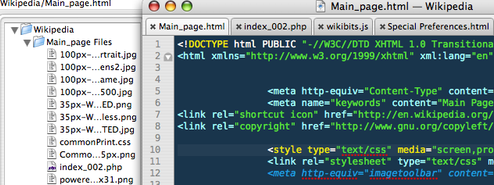
TextMate (Mac OS X)

TextMate brings Apple’s approach to operating systems into the world of text editors. By bridging UNIX underpinnings and GUI, TextMate cherry-picks the best of both worlds to the benefit of expert scripters and novice users alike. However it’s a shareware it costs around 63$.

TextMate (Mac OS X) source code editor

VIM

This editor is very useful for editing programs and other plain ASCII files. All commands are given with normal keyboard characters, so those who can type with ten fingers can work very fast. Additionally, function keys can be defined by the user, and the mouse can be used.
Vim is often called a “programmer’s editor,” and is so useful for programming that many consider it to be an entire Integrated Development Environment. However, this application is not only intended for programmers. Vim is highly regarded for all kinds of text editing, from composing email to editing configuration files.

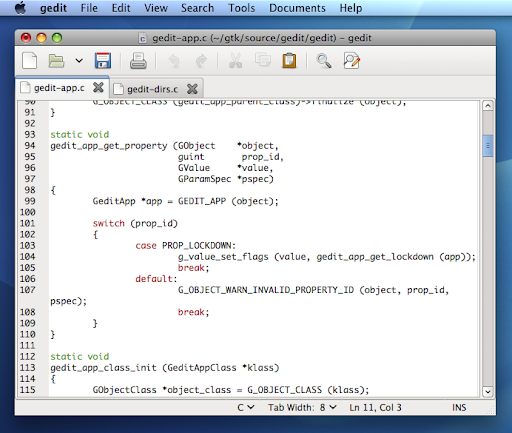
gedit (linux)

gedit is the official text editor of the GNOME desktop environment.
While aiming at simplicity and ease of use, gedit is a powerful general purpose text editor. It includes Configurable syntax highlighting for various languages (C, C++, Java, HTML, XML, Python, Perl and many others).


gedit (linux) source code editor

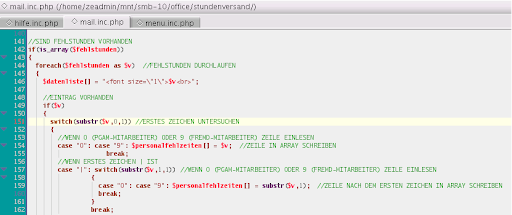
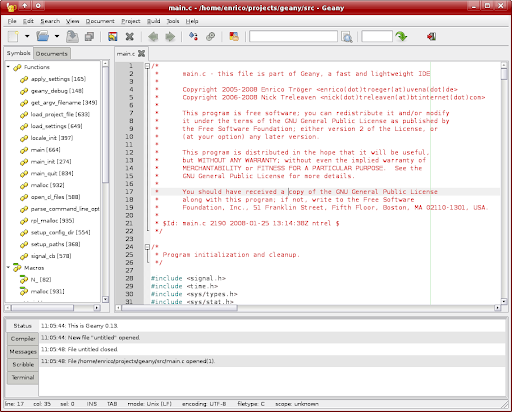
Geany source code editor

Geany is a small and lightweight Integrated Development Environment (IDE) based on Scintilla. Geany is one of the more fully-featured editors, as most Linux editors adopt a more minimalist philosophy. It is similar to Windows editors such as NoteTab or ConTEXT.

Geany source code editor

Quanta Plus HTML editor

Quanta Plus is a highly stable and feature rich web development environment. The vision with Quanta has always been to start with the best architectural foundations, design for efficient and natural use and enable maximal user extensibility. We recognize that we don’t have the resources to do everything we would like to so our target is to make it easy for you to help make this the best community based desktop application anywhere.

Bluefish programming code editor

Bluefish is a powerful editor targeted towards programmers and webdesigners, with many options to write websites, scripts and programming code. Bluefish supports many programming and markup languages, and it focuses on editing dynamic and interactive websites.

CONtext freeware source editor

ConTEXT is a small, fast and powerful freeware text editor, developed to serve as a secondary tool for software developers.

KompoZer linux based source editor

KompoZer is a complete Web Authoring System that combines web file management and easy-to-use WYSIWYG (What You See Is What You Get) web page editing.
KompoZer is designed to be easy to use, making it suitable for non-technical computer users who want to create an attractive, professional-looking web site without having to know HTML or web coding.

Hope I have give you the best editors available for editing source codes and to produce HTML rich content. If you know any other good software then let me know.